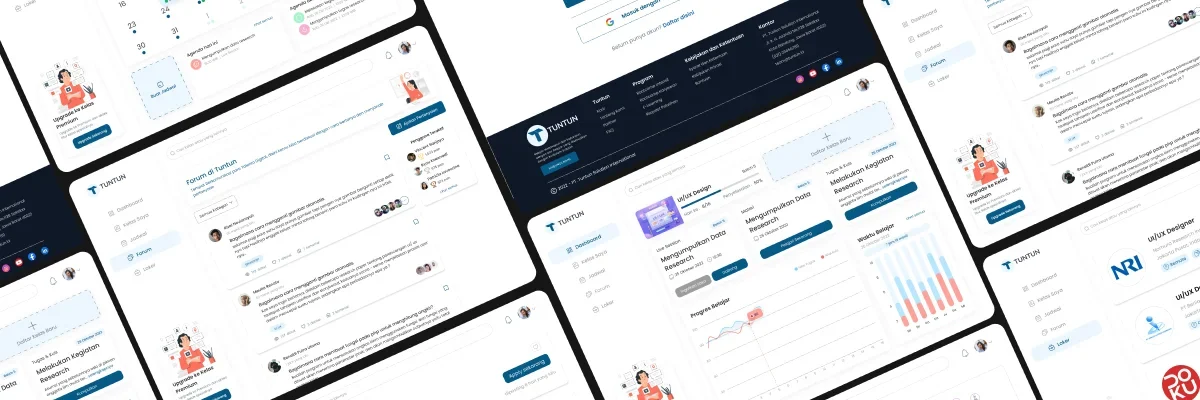
Overview
Online course with an industry-adapted curriculum, using a Self-Paced Learning system with a mentoring system so that users will be well prepared for the industrial world.
The addition of features tailored to users’ needs, using a user-centered design approach, will help address many of the challenges in online course competitions. The main features presented are related to the systematic learning flow of the forum feature.
Details
Time Frame:
2022
Role:
UI/UX Designer, Usability Researcher
Involvement:
Web Design
Problem Statement
The number of online courses nowadays is indeed a convenience for users who want to hone their skills in line with industry standards. However, there are still shortcomings that need to be addressed. TUNTUN is here to complete the needs that do not exist in an online course service provider platform. It is hoped that users will be more interested in investing knowledge in TUNTUN.
Scope & Constraints
I worked from the beginning, starting with determining the theme, conducting research, and performing usability testing. The work was completed by the specified deadline.
User & Audiences
Students or employees who have attended an Online Course.
Design Process
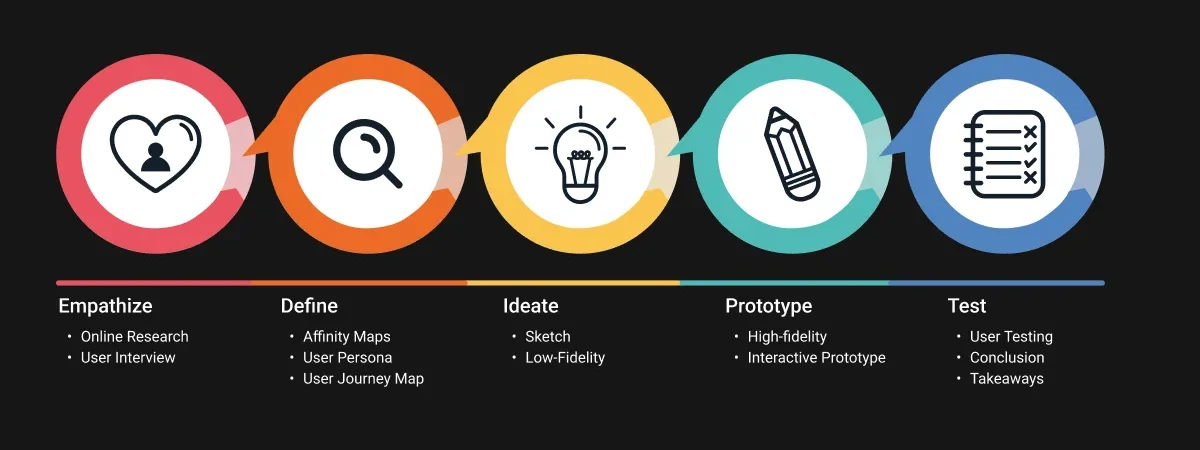
In doing the design process, I apply the principle of Design Thinking. The following are the stages:
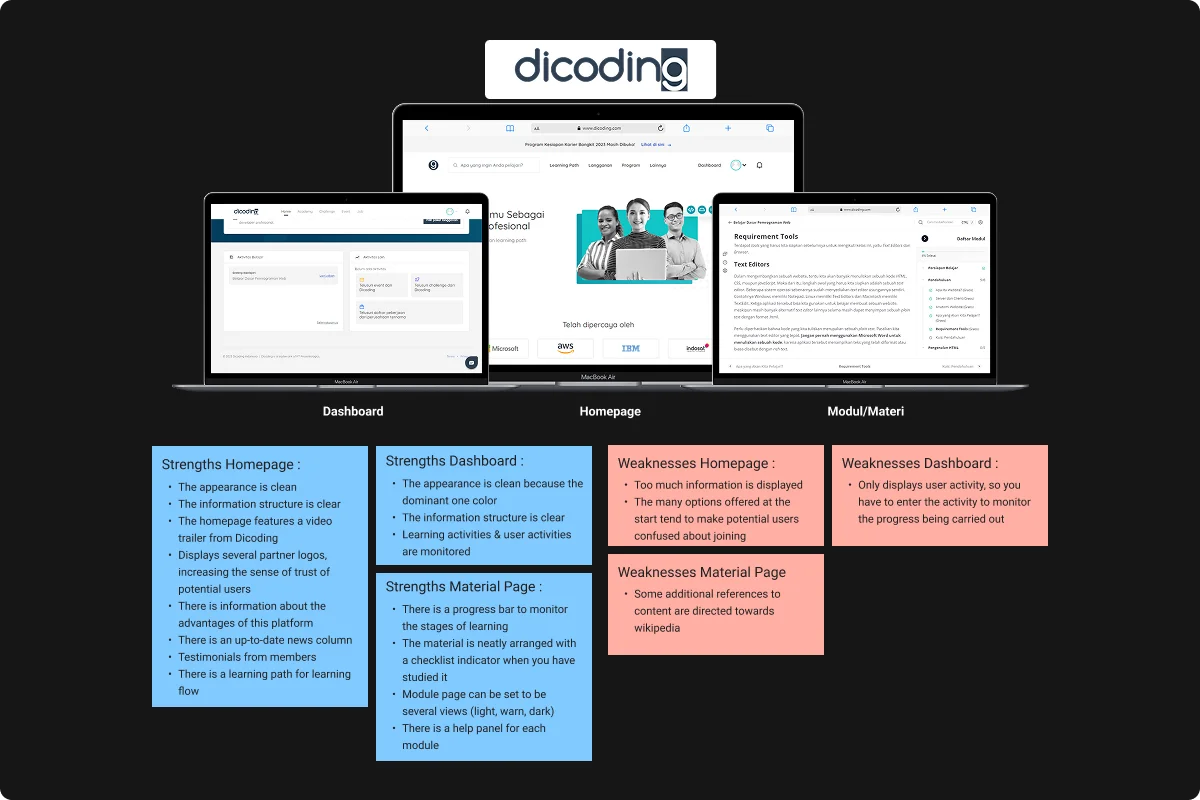
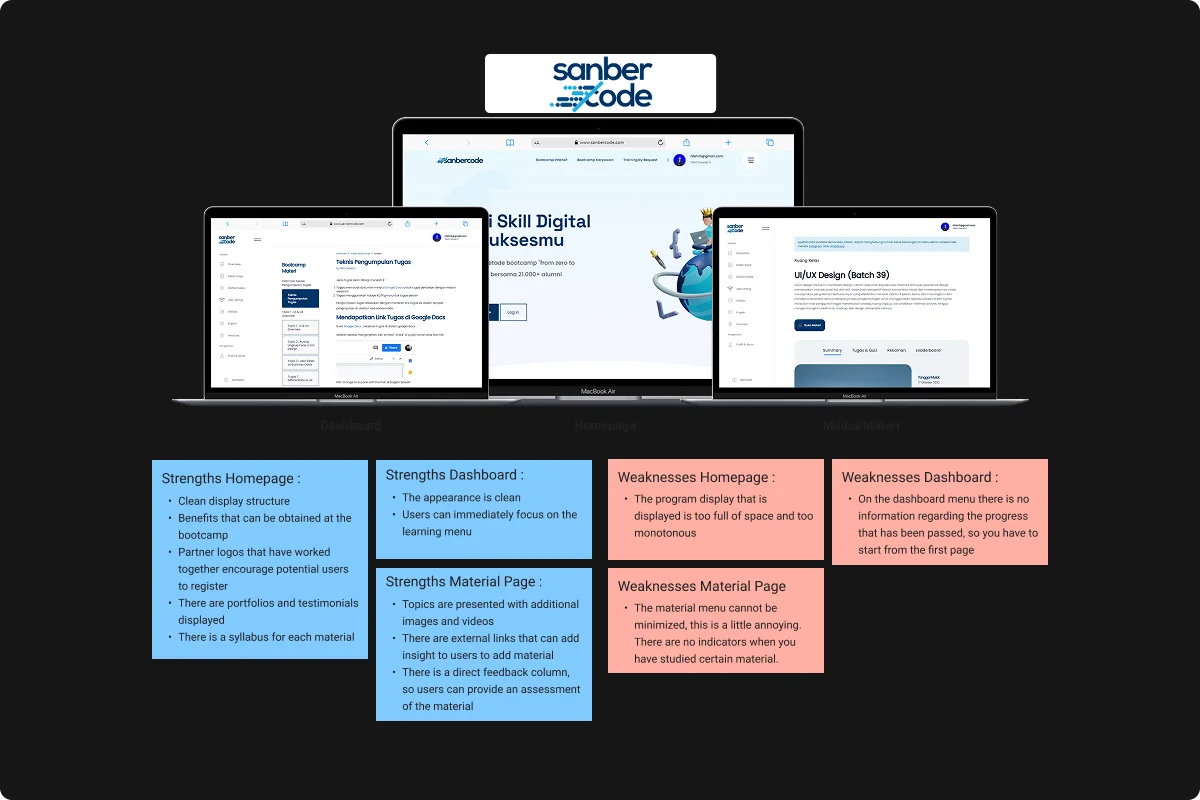
Competitive Analysis
In this phase, I analyze and compare competitors within the same industry to identify key strengths, weaknesses, and opportunities. By studying their design, features, user experience, and performance, I can uncover gaps in the market and areas where the product can stand out. This analysis not only helps to understand user expectations but also informs the design strategy, ensuring the final product provides better value and a unique user experience.
Define
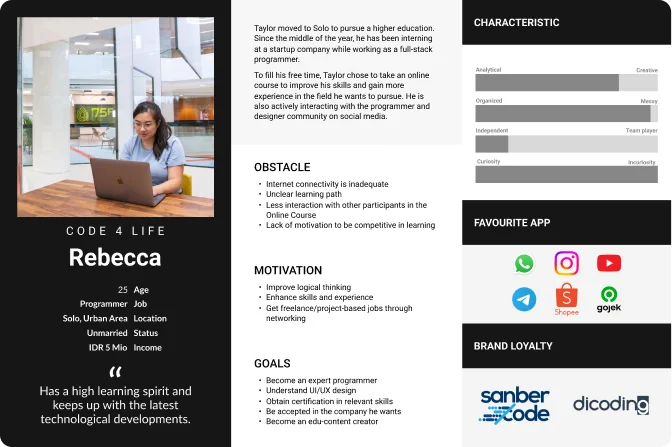
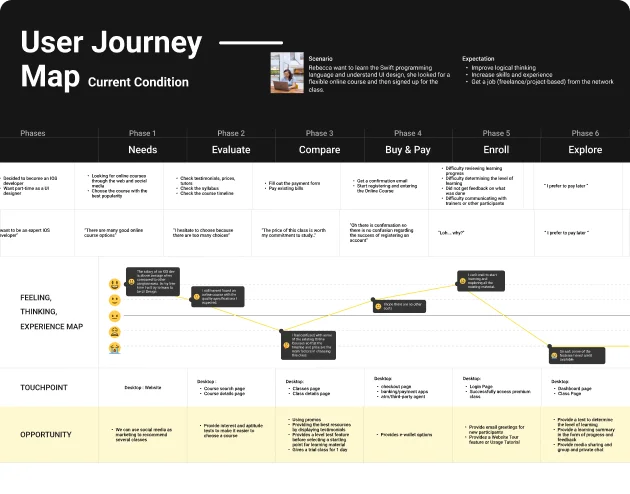
This stage is a form of gathering information taken from the empathize process. In this stage, we create a User Persona (describing needs, concerns, motivations, and goals) and user background information (demographics), and a User Journey Map.
User Persona
Is a representation of the user segment. Contains a description of the needs (needs), concerns (concerns), motivation, and goals (goals), as well as user background information (demography).
To achieve the user’s goals, a process flow is created through which the user interacts with the product. The flow is described in the User Journey Map as follows:
Understanding
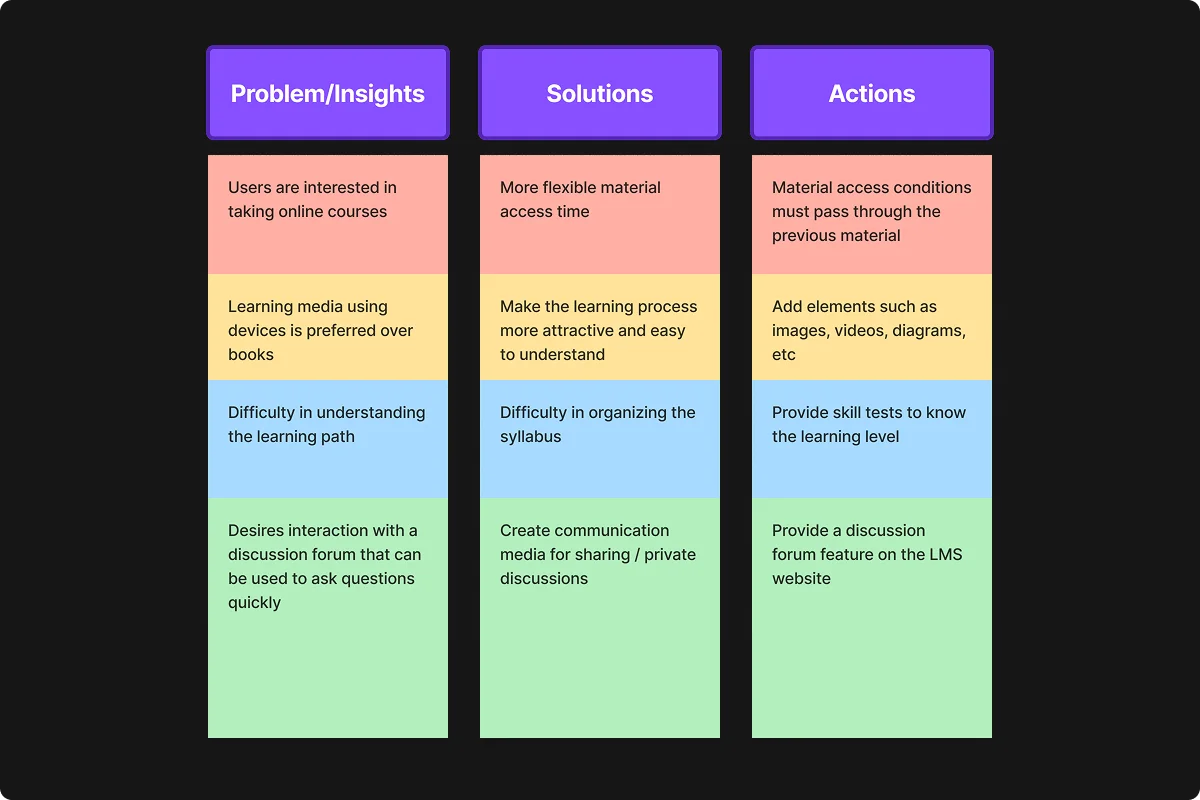
Empathize by conducting interviews, using relevant questions to engage 6 user participants. From the interview results, grouping problems and solutions into affinity maps will yield insights, solutions, and ideas from the problems users face.
Prioritization of Ideas
By analysing the core problems, I identify which ideas should take priority. This is done by aligning with the objectives and strategies set earlier, ensuring that I focus on what matters most for the project’s success.
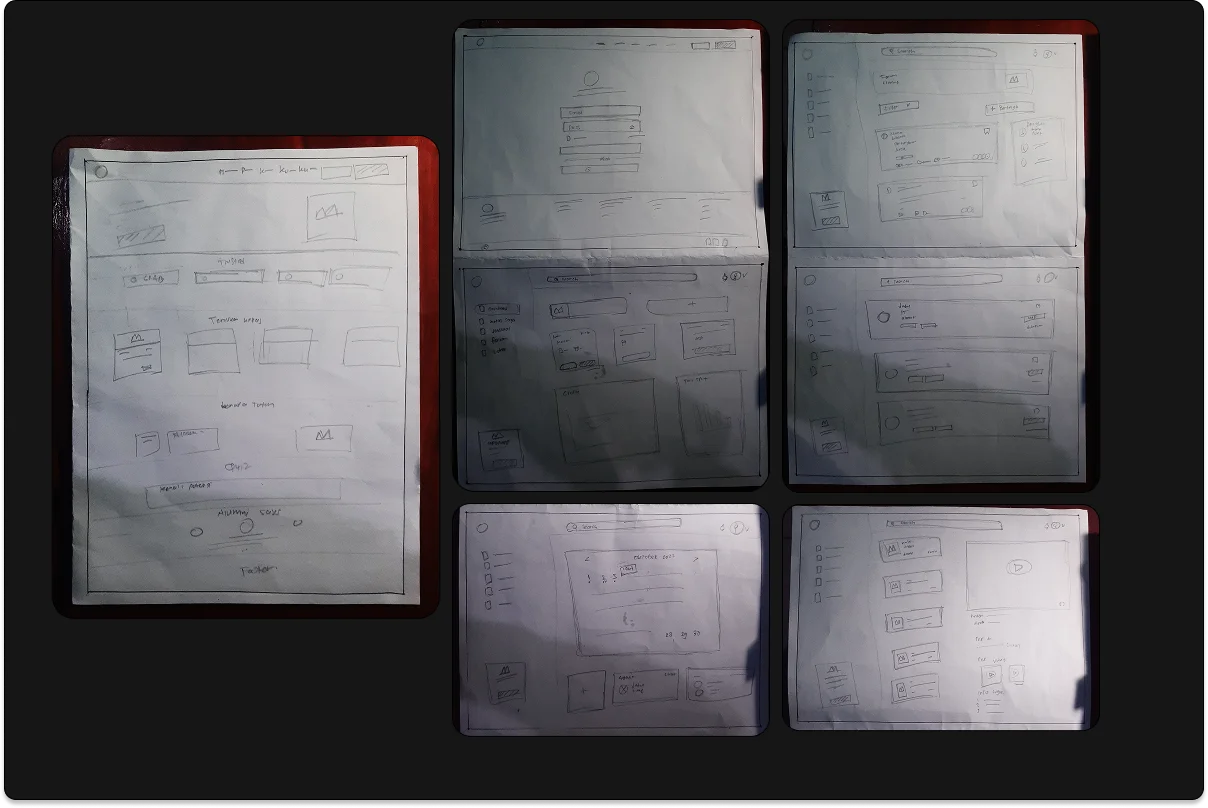
Sketch
After determining the idea and conducting exploratory design research, I create a rough outline of the design. I prefer using paper for sketches because it offers flexibility and lets me quickly explore different concepts without limitations.
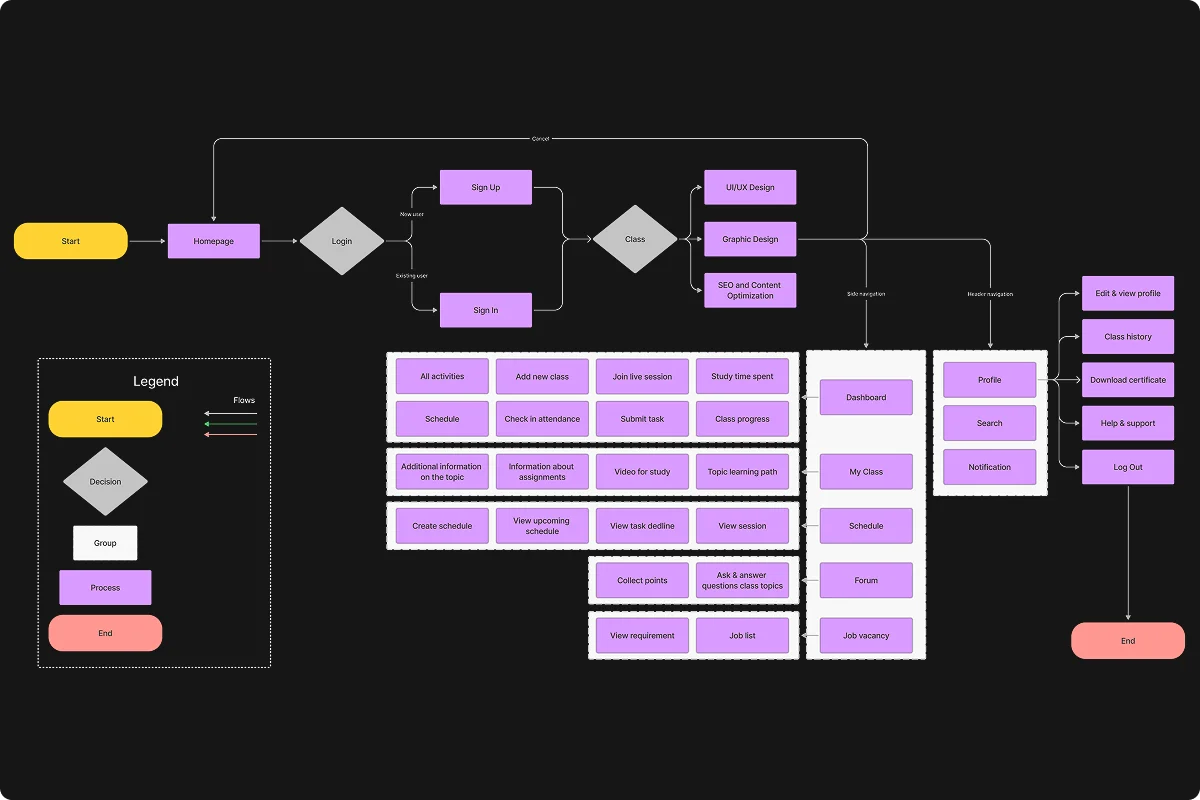
User Flow
User flow is essential to map out the detailed path users take to achieve their goals within the product. It helps visualize the user journey, ensuring a smooth and intuitive experience.
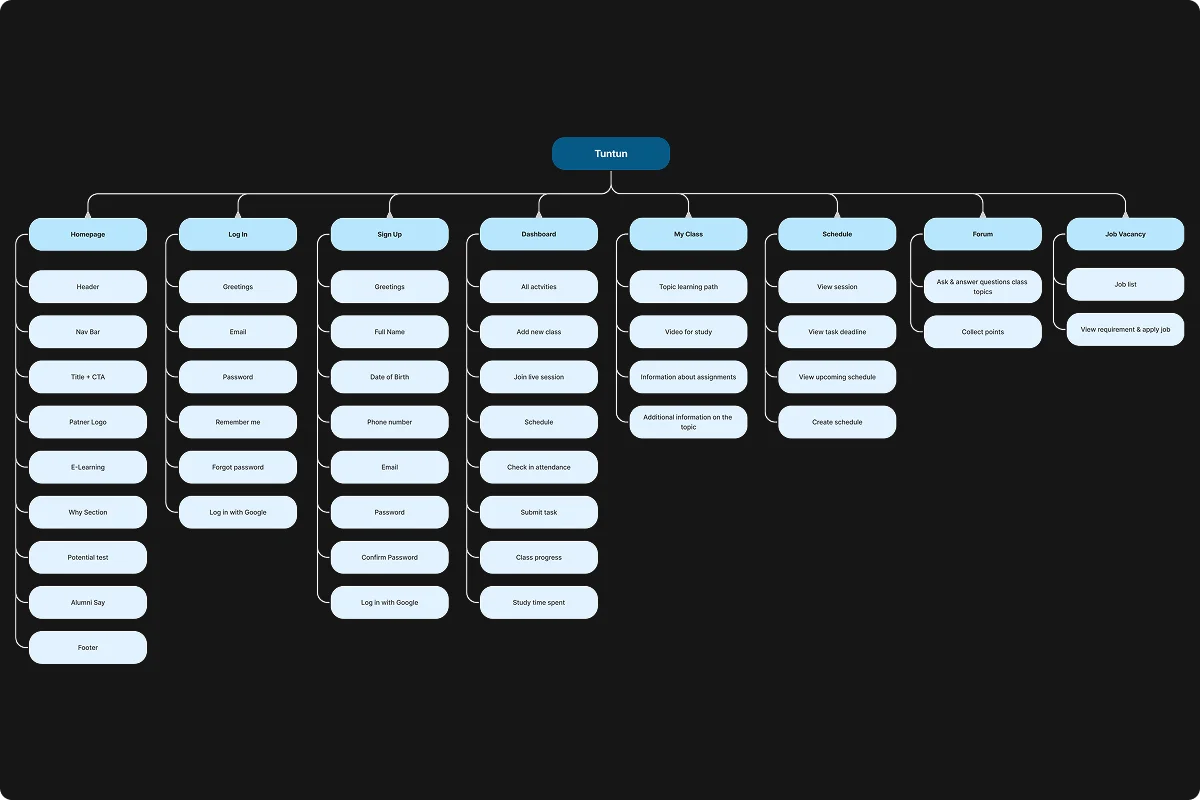
Information Architecture (IA)
IA is crucial for organizing information within a product, making it easy for users to find what they are looking for. A well-structured IA ensures users can achieve their goals effectively and efficiently.
Wireframe
After determining the idea and conducting exploratory design research, I create a rough outline of the design. I prefer using paper for sketches because it offers flexibility and lets me quickly explore different concepts without limitations.
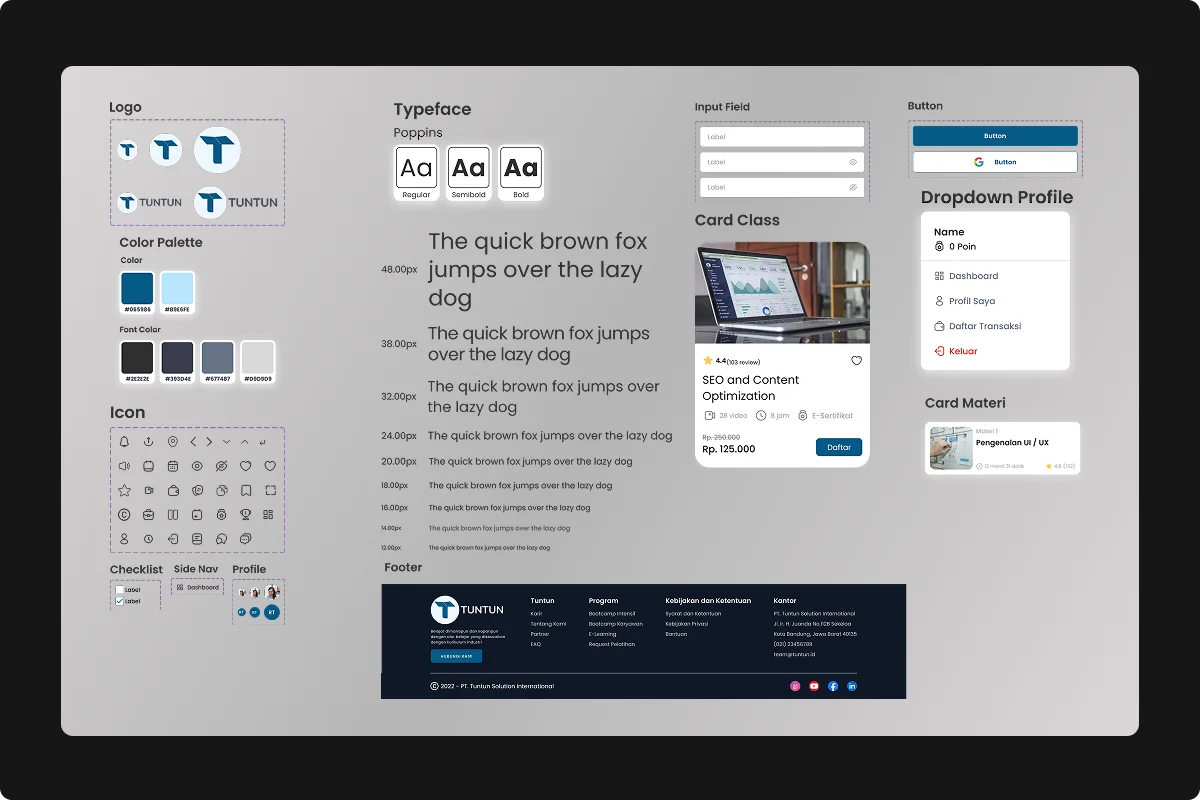
Design System
I create a design system to ensure consistency across all design elements. This system includes reusable components, such as buttons, forms, and typography, and defines the color palette, spacing, and layout guidelines. It ensures that the design stays cohesive and scalable, simplifying collaboration and future iterations.
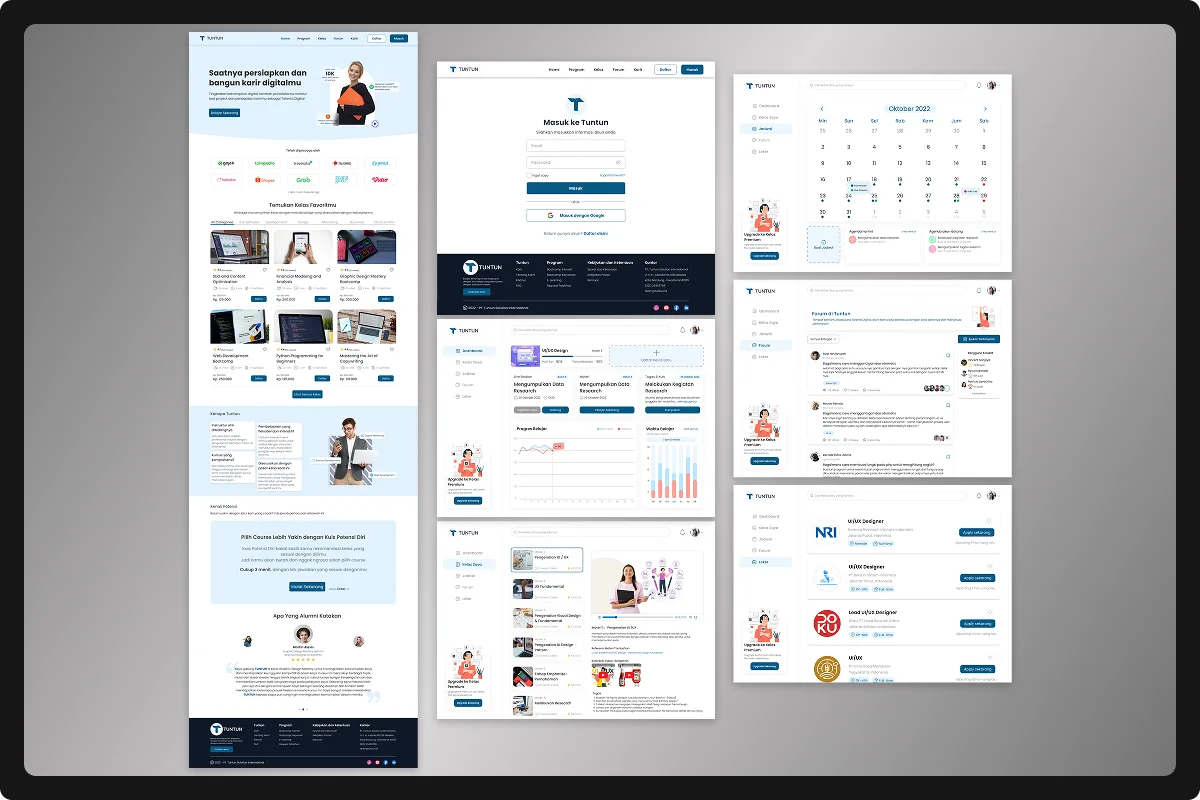
High-Fidelity Design
Once the wireframes and user flow are validated, I move to the High-Fidelity (Hi-Fi) design phase. At this stage, I refine the design, adding detailed UI elements, final color schemes, typography, and interactivity. The Hi-Fi design gives a clear and realistic representation of the final product, ensuring that the design is ready for development.
Prototype
Hey, here’s the interactive prototype! You can click through the various screens and experience the flow just like a real user would. This prototype allows you to explore the design’s functionality, see how different elements interact, and get a feel for the overall user experience. It’s built to showcase how the final product will work, and gives you a hands-on preview of the interface and interactions before the development phase begins.
Usability Testing
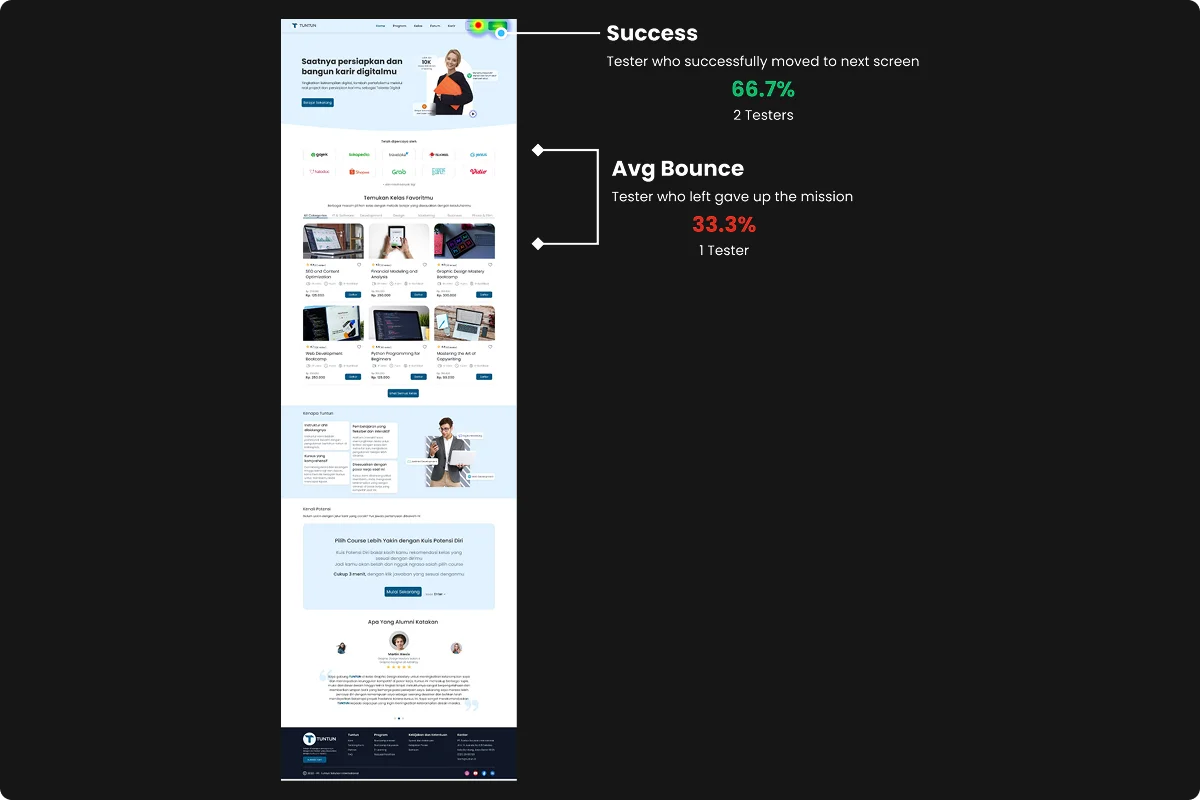
A significant 66.7% (2 out of 3) of testers clearly understood what needed to be explored on the website. However, this led to longer engagement times, as they not only completed tasks but also explored the main page. Ensuring users feel comfortable and can easily comprehend the offerings of the website is crucial. Ultimately, testers successfully followed the next steps, indicating that the overall flow and clarity were on the right track.
Takeaways - Lesson Learned
Through the research process based on user needs, the design has been successfully aligned with the planned flow, from the understanding phase to prototyping.
The collaboration with the team, even in the early stages, was an enriching experience. It was a rewarding process that highlighted the importance of teamwork. Throughout the project, I gained valuable insights and became more mindful of every detail, both in terms of information and actions. I now understand how crucial these elements are in shaping the user experience, which directly impacts the overall business success.